Magic Tools in use
Product Design & Accessibility

Magic
Tools

An adaptive brush and eraser for individuals with Autism Spectrum Disorder. Every stroke makes sound, every surface becomes a canvas, every session is multi-sensory.

Product Design Accessibility Physical Computing 2024
Scroll to explore
Category
Physical Product
Tangible, hand-held painting tools built and assembled from scratch
Focus area
Autism Spectrum Disorder
Designed with therapists to support collaborative sensory painting sessions
Year
2024
Research, design, physical build and user testing all within one semester
The Challenge

Why painting needed
to be rethought

Many individuals with Autism Spectrum Disorder experience the world through sensation as much as vision. Traditional painting tools weren't designed with this in mind. The goal was to create something that turns a painting session into a full sensory experience, making it richer, more accessible and genuinely enjoyable for everyone involved.

Working alongside therapists from the start, the research revealed three consistent barriers that kept the creative act of painting out of reach for many ASD individuals.

01
Grip was a constant struggle
Standard brushes have no ergonomic affordance. For people with grip challenges common in ASD, holding a brush properly for even a few minutes was exhausting and discouraging.
02
Colour meant nothing without contrast
Many individuals have difficulty distinguishing colours reliably. Buttons and controls that relied on colour alone were invisible to part of the audience this tool was meant to serve.
03
The experience was silent
Painting produces no feedback beyond the visual result. For individuals who process the world through multiple senses simultaneously, the silence of a painting session left the experience feeling flat and disconnected.
Design Process

Five steps from insight to working prototype

01
Empathize
Observed therapy sessions, interviewed therapists and family members to understand the real context of use
02
Define
Identified the key friction points: fast uncontrolled hand movement, colour recognition gaps and lack of sensory feedback
03
Ideate
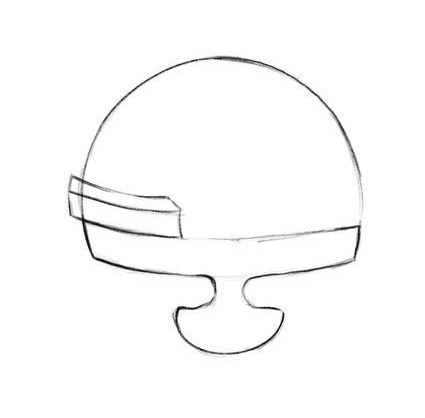
Sketched dozens of ergonomic forms for both brush and eraser, exploring grip shapes, button placement and feedback mechanisms
04
Prototype
Built the physical tools by hand, soldering electronics inside the brush body and integrating LED strips, sensors and vibration motors
05
Test
Ran sessions with both therapists and ASD individuals, refining the grip shape, button force and vibration intensity with each round
The Tool

Every detail was designed
with a specific need in mind

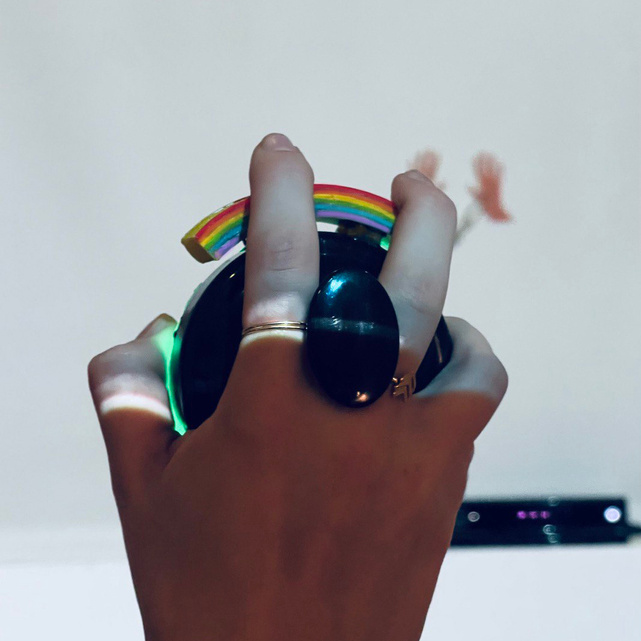
Magic Brush with rainbow button
Feature 01

A rainbow button that makes colour visible to everyone

The brush has a large, tactile rainbow-coloured button that cycles through painting modes. Rather than relying on subtle colour differences, the button uses the full visible spectrum in one place, so even users with colour-recognition challenges always know which mode is active.

Colorblind accessible One-touch activation High contrast
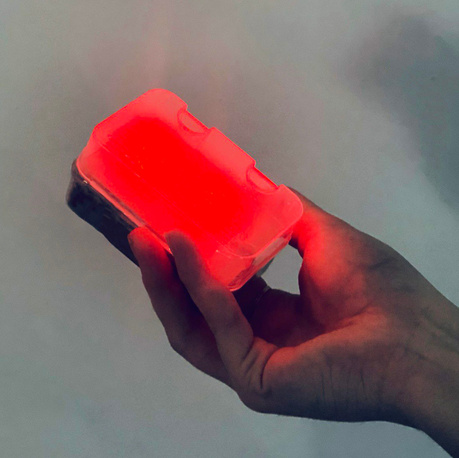
Glowing eraser with LED
Feature 02

LED feedback that glows when the tool is active

Both the brush and eraser light up when activated, giving an unmistakable visual signal that requires no reading, no instructions and no colour knowledge to understand. The glow also doubles as ambient feedback during the painting session, making the tool feel alive in the hand.

Instant visual feedback Mode indicator Low cognitive load
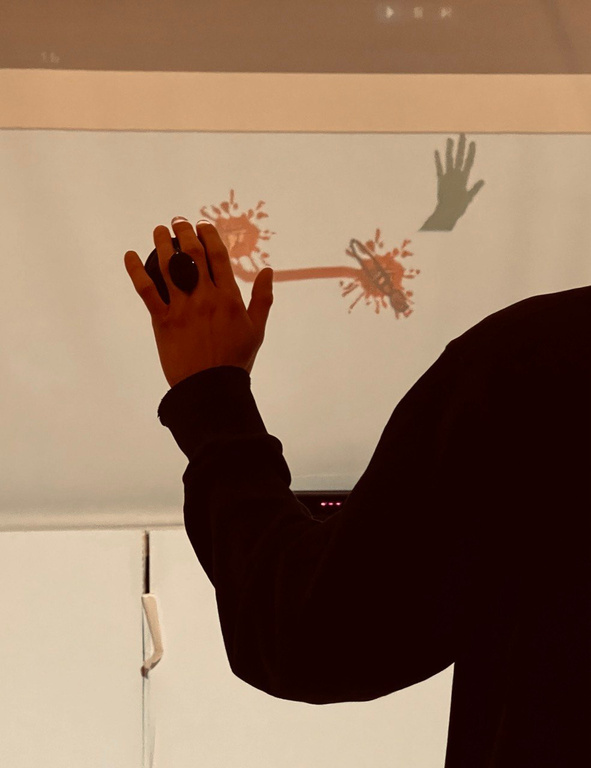
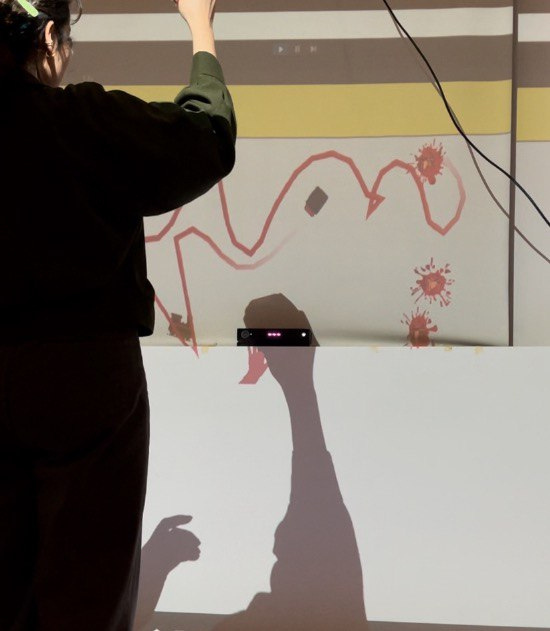
Painting in action on wall
Feature 03

Brushstrokes that play music in real time

The brush connects to a Unity system via Kinect. Every movement translates into a sound, so painting becomes something you hear as much as you see. The therapist monitors the evolving canvas on a separate screen, turning each session into a shared, multi-sensory creative experience.

Kinect motion tracking Real-time audio Therapist screen
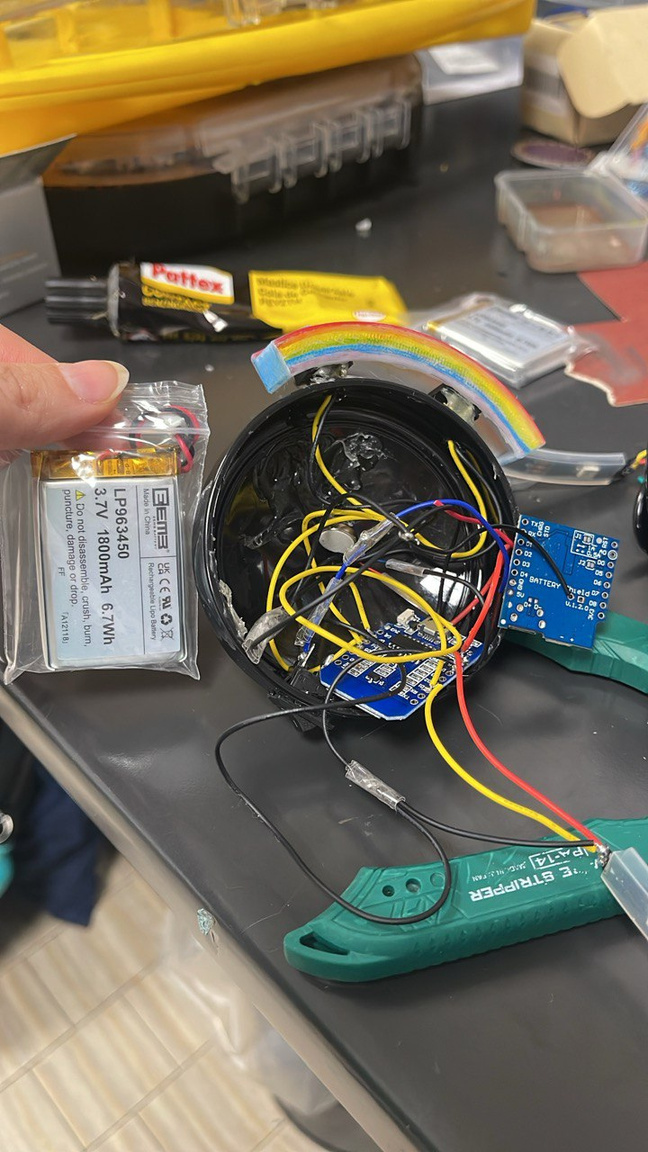
Inside the brush — electronics
Feature 04

Vibration that confirms every action through touch

A vibration motor fires whenever the brush switches mode or the eraser activates. For users who may miss visual or auditory cues, this haptic layer makes every interaction unambiguous. The electronics are all hand-soldered inside the brush body, keeping the outer form clean and safe to hold.

Haptic confirmation Hand-soldered electronics Capacity sensor
How It Works

From stepping into the room
to painting on the wall

01
Enter the Magic Room
The session happens inside a designated space where a Kinect sensor tracks all movement. Walking in is enough to start — no setup required from the user.
02
Pick up the brush
A capacitive sensor inside the handle detects when someone picks it up and automatically wakes the device, so there's no button to press just to begin.
03
Activate with one press
A single large on/off button powers the brush fully. The LED lights up and the vibration motor gives a short pulse to confirm it's ready, even with eyes closed.
04
Choose a colour mode
Pressing the rainbow button cycles through painting colours. The whole button changes appearance with each press, so the choice is always clear regardless of colour vision.
05
Paint and hear
Moving the brush in front of the Kinect paints on the projected canvas and simultaneously generates music. Every stroke is visual, auditory and tactile at once.
06
Erase with the companion tool
The eraser works the same way — pick up, activate, use. It glows a different colour so it's always distinguishable from the brush without needing to look closely.
Demo

Watch it in action

A live session showing the full experience — from picking up the brush to painting on the projected canvas, with sound generated in real time.

Gallery

Behind the build

Thanks for taking the time to look through this one.

Back to all works